The problem
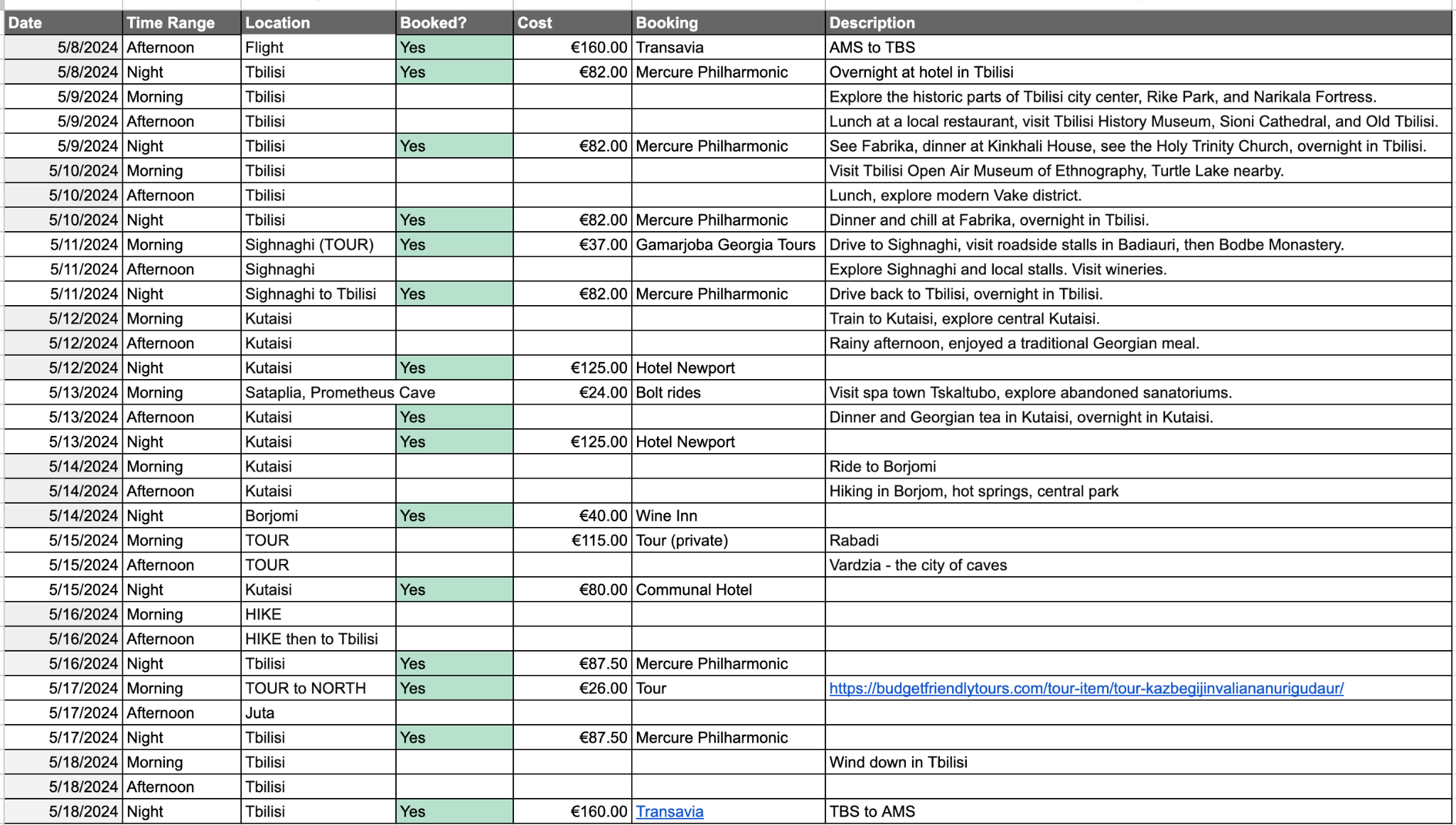
I typically plan my leisure travel with a spreadsheet full of dates, reservations, costs, links and draft ideas. It gave me structure and control over the details but the route was hard to read and for long trips the details and shorthand were only legibile to me.
I identified an opportunity: while AI travel planners moved faster, in the products I reviewed a prompt produced a complete itinerary that was hard to inspect or adjust, plus hallucinations and weak or impersonal suggestions made made it difficult to trust the results.
The design problem sat between those experiences. I wanted the momentum of a generated draft and the control of a planning tool.
The design challenge
Travel planning exists before and after an itinerary appears. Planners may refine based on new knowledge, question priorities, move activities, check distance and preserve bookings they trust. A generated (text-based) response offers little support for that work.
The project was then framed around one question.
Could generative AI produce a useful first draft that the traveller is free and confident to shape?
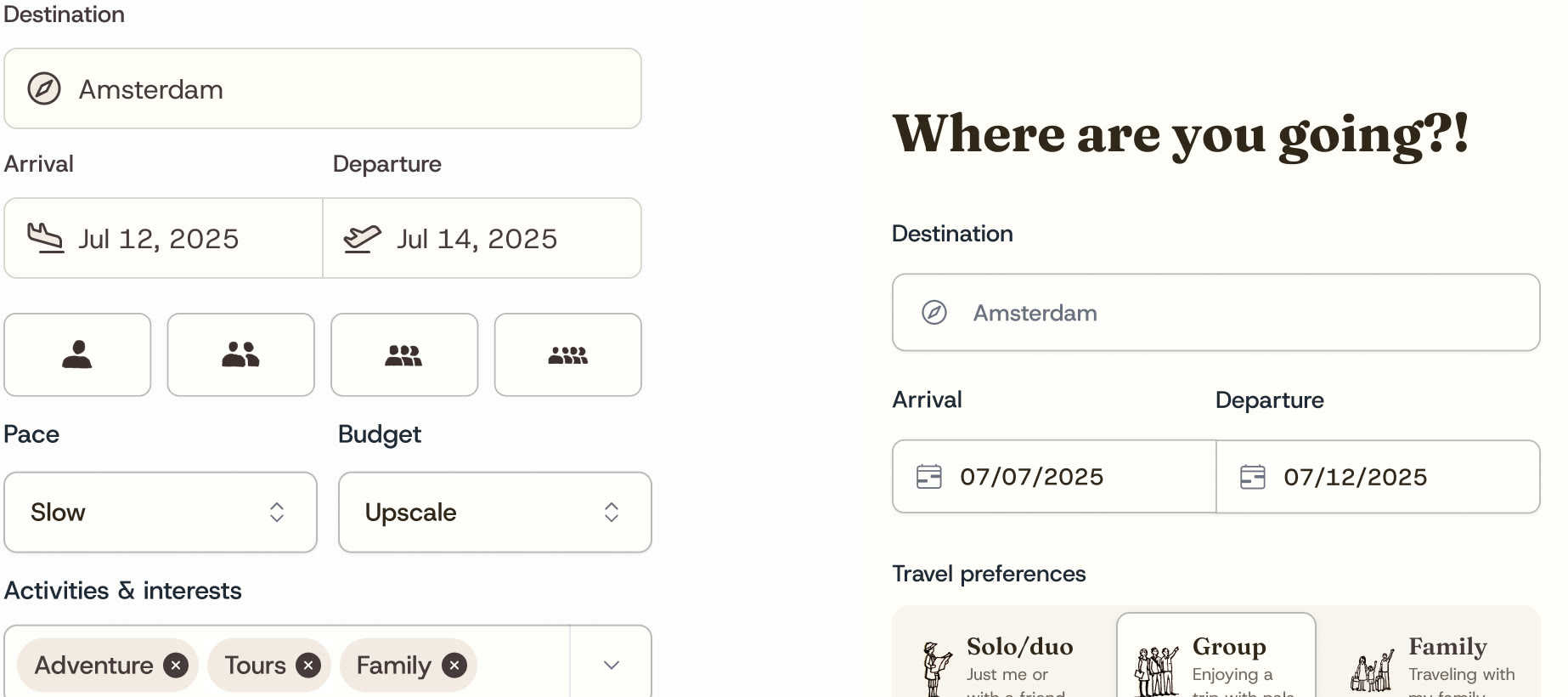
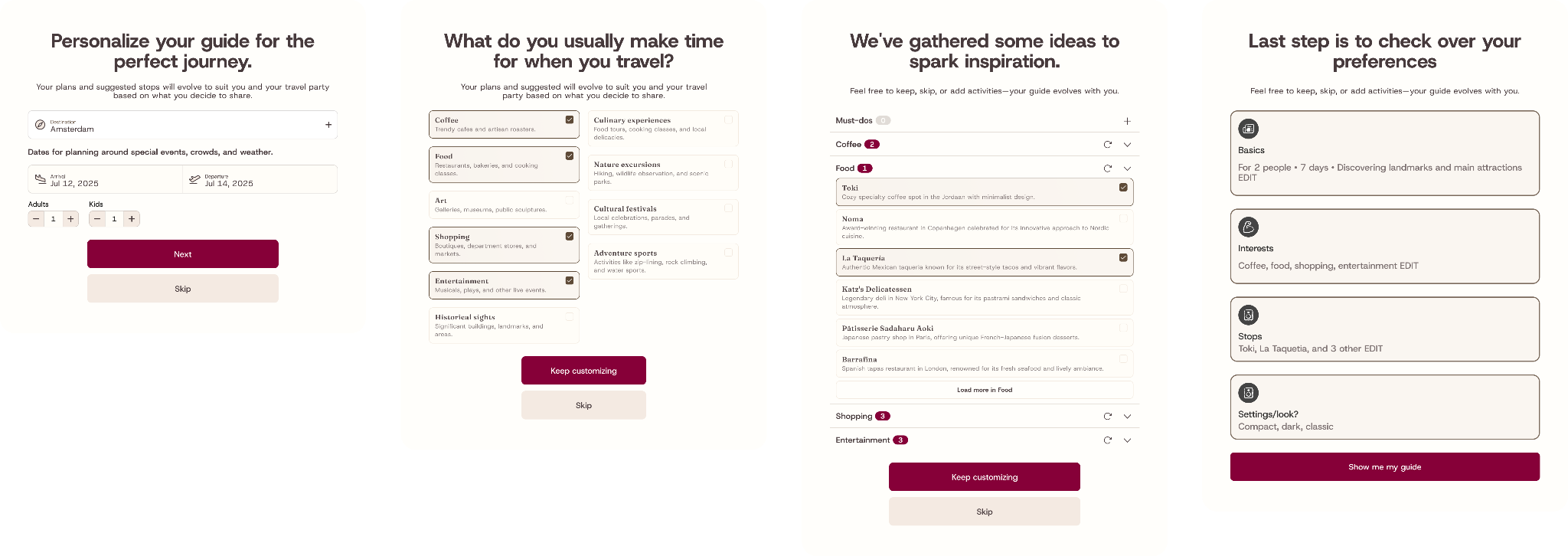
Technically, I treated the itinerary as structured event data from the start. Preferences, dates and chosen stops could be reviewed before generation, giving the model a clearer brief and the traveller an explicit record of what it would use.
From generated answer to working plan
The initial proof of concept returned an Excel itinerary which served as a parity benchmark that I could then iterate on.
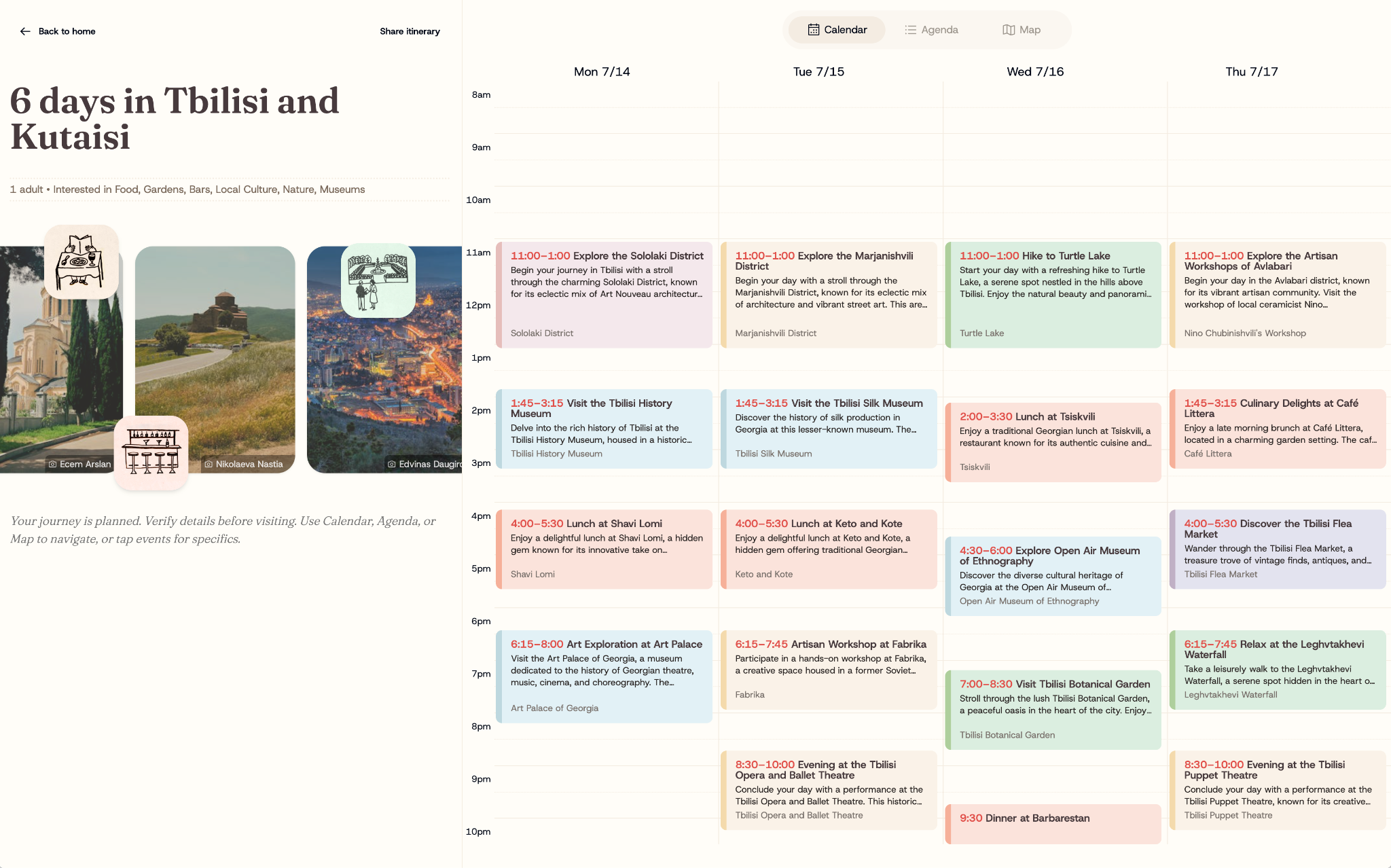
This evolved into outputting structured event data where each recommendation streamed in with a date, time, place, description and position within the trip. That common model powered three linked views:
- Calendar made high-level pacing and sequence visible
- Agenda for context and practical detail
- Map could expose long or awkward journeys
Because every view read from the same structured data, an edit stayed consistent across the product. In this, the itinerary had become a working plan that could suite the preferences of different users.
Actions were local. A traveller could edit, remove or regenerate one activity, inspect it on the map, share the plan or export it to Google Calendar.
Designing for AI’s limitations
Latency, uncertain suggestions, user control and a generic visual language shaped the interaction model.
Multi-day generation could feel stalled, so events streamed into the calendar as they arrived and progress feedback made the state visible. Redis caching kept shared and recently viewed trips from regenerating.
Because model output remained fallible, revisions were accessible in the primary workflow, with edit, delete and retry visible beside every result. Prompt and schema work improved consistency byt the UI still assumed a recommendation might need correction.
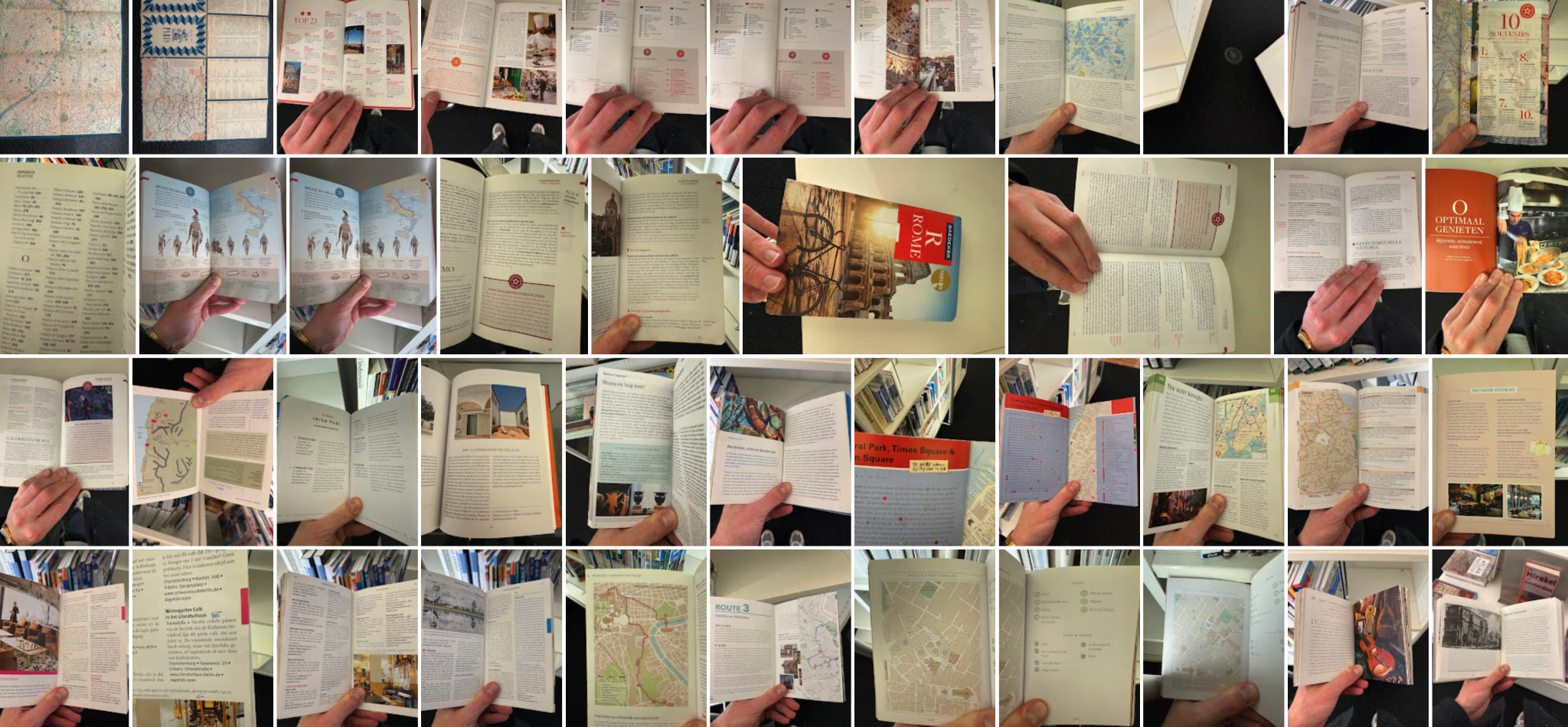
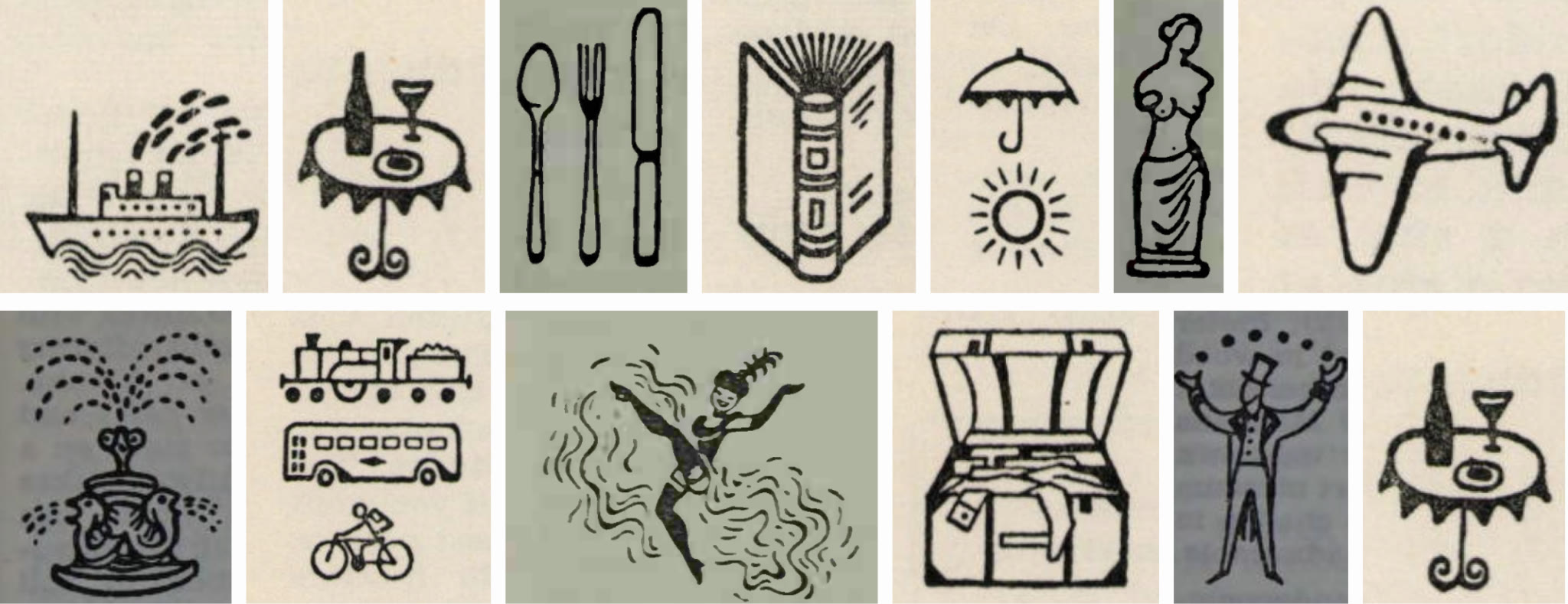
I wanted TripClick to evoke the trip being planned. Research into older guidebooks led to destination photography, warm typography, restrained colour and illustrations adapted from 1970s travel material, references that gave the product a point of view.
Building the prototype
I built the prototype in React with the Vercel AI SDK and OpenAI for generation, FullCalendar for the schedule, Google Maps for place data, Redis for caching and Pexels for destination photography.
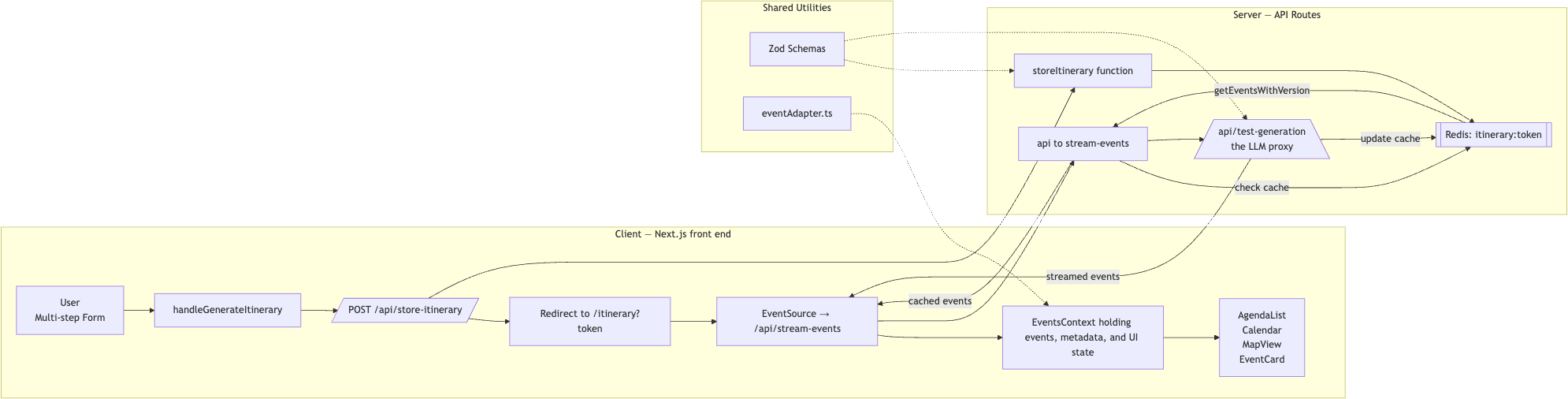
Implementation exposed decisions that static layouts had concealed. Streamed events triggered avoidable rerenders, early schemas made later editing harder, and partial model responses needed retries that raised cost and made failure feel unpredictable.
Those findings narrowed where generation belonged. I reserved model calls for work that benefited from them, kept direct actions deterministic and reduced request context where possible.
Outcome
TripClick became a working prototype that could turn a few preferences into an editable multi-day plan within seconds. A traveller can adjust the result across calendar, agenda and map, share it and export events.
I stopped at the prototype stage. Production would have required stronger authentication, persistent storage, security, rate limits and a dependable data model. Much of the early architecture would need rebuilding.
While an ambitious attempt, the boundary clarified the reach of AI-assisted development at the time. It helped me build a connected product across design and code. The prototype also exposed reliability work that a nice demo can hide.
One year later
Stronger models have since reduced the prompt work needed for a useful draft, and chat interfaces have been enhanced with maps and granular editing, but the interaction problem remains. People still need to understand what a system used, review what it produced and correct a single decision with confidence.
Context length, retries, model choice, tool calls and caching shape responsiveness and viability. These concerns belong in product decisions as early as information architecture or visual design.
The lasting lesson is that the value sits in a plan the traveller can use and change, and that AI matters when it gives that process a better starting point.
Use generation to open the planning process, then give the traveller clear tools to finish it.